
[toc]
单词表
| 单词 | 词性 | 发音 | 含义 |
|---|---|---|---|
| tag | 名词 | /tæɡ/ | 标签 |
| Operation | 名词 | /ˌɒpəˈreɪʃn/(英式)、/ˌɑːpəˈreɪʃn/(美式) | 操作 |
| summary | 名称 | /ˈsʌməri/ | 摘要 |
Lecture15-特定功能-实验07-接口生成
一、目标效果
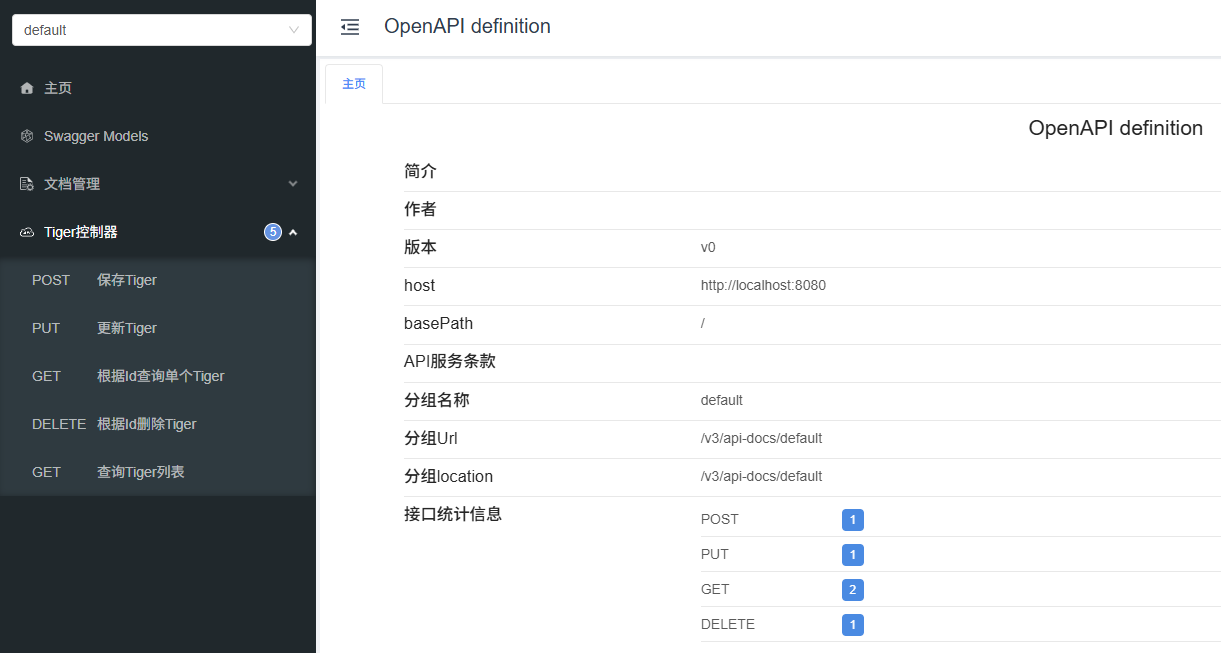
二、技术实现
1、技术体系
- swagger:可快速生成实时接口文档,方便前后开发人员进行协调沟通。遵循 OpenAPI 规范
- Knife4j:基于 Swagger 之上的增强套件
2、快速上手
①引入依赖
在已有应用的环境中增加下面这个依赖:
<dependency>
    <groupId>com.github.xiaoymin</groupId>
    <artifactId>knife4j-openapi3-jakarta-spring-boot-starter</artifactId>
    <version>4.4.0</version>
</dependency>
②配置文件
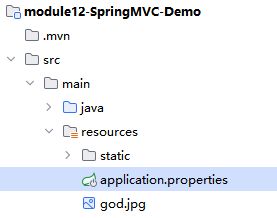
springdoc.swagger-ui.path=/swagger-ui.html
springdoc.swagger-ui.tags-sorter=alpha
springdoc.swagger-ui.operations-sorter=alpha
springdoc.api-docs.path=/v3/api-docs
springdoc.group-configs[0].group=default
springdoc.group-configs[0].paths-to-match=/**
springdoc.group-configs[0].packages-to-scan=com.atguigu.demo
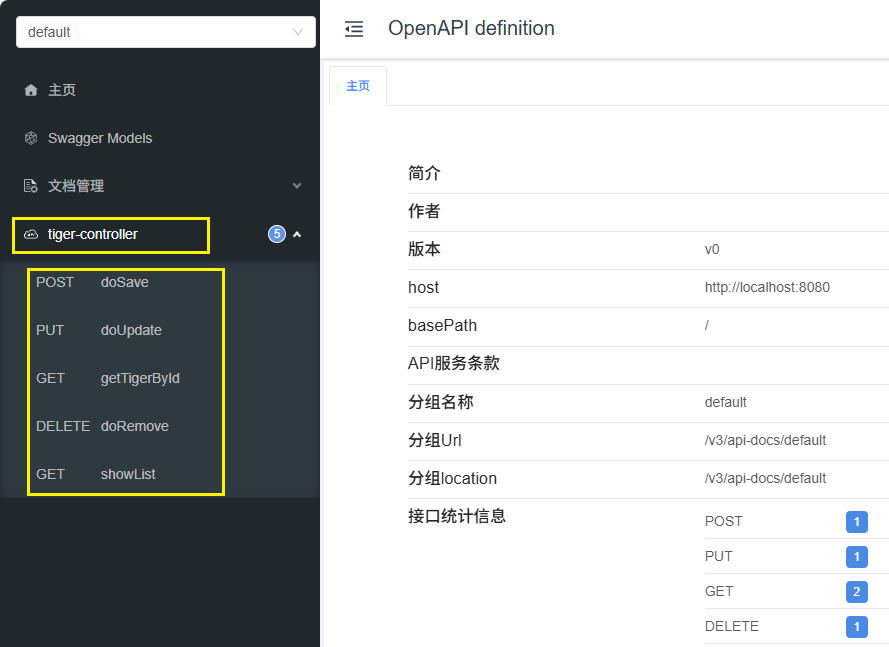
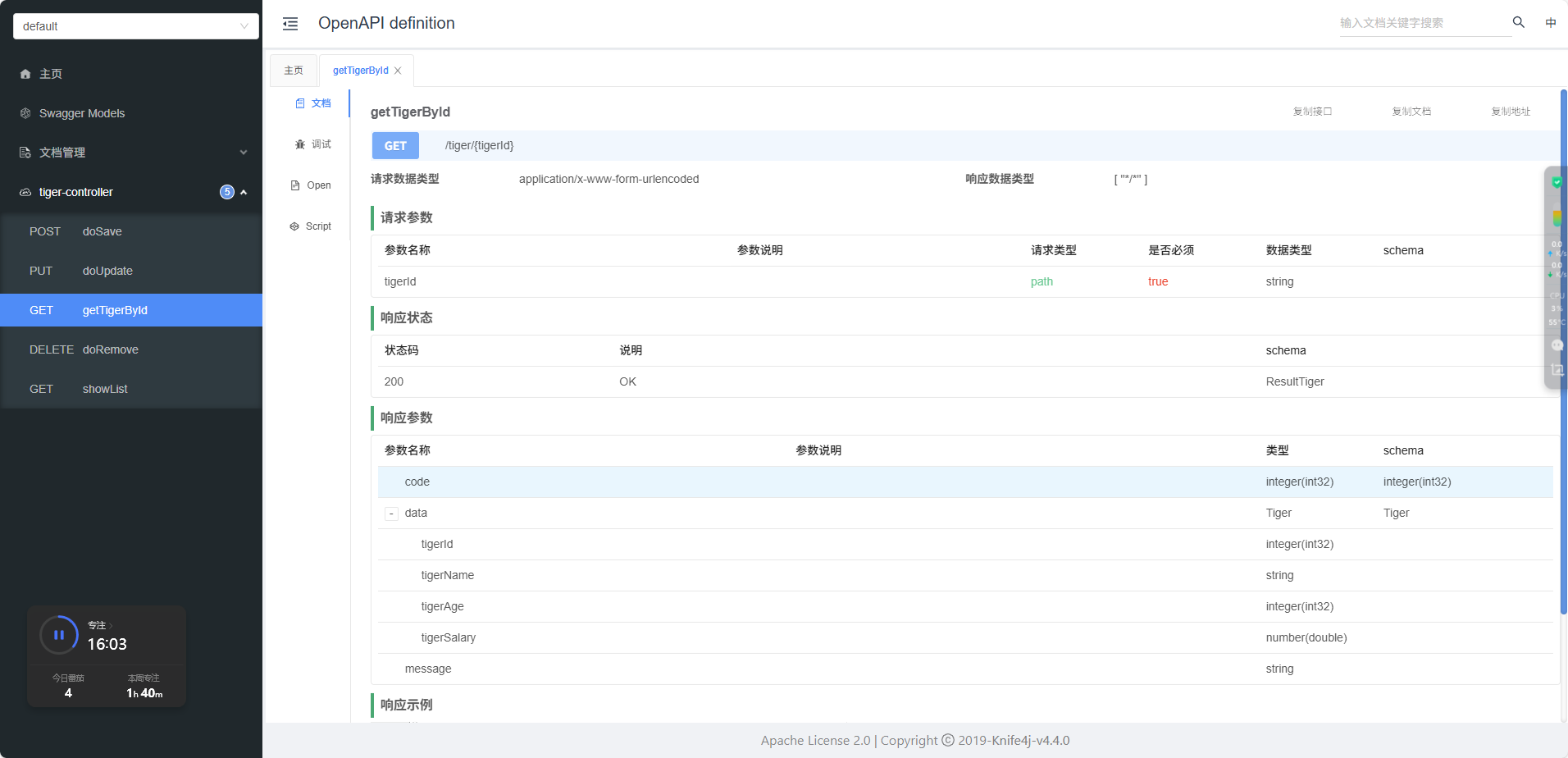
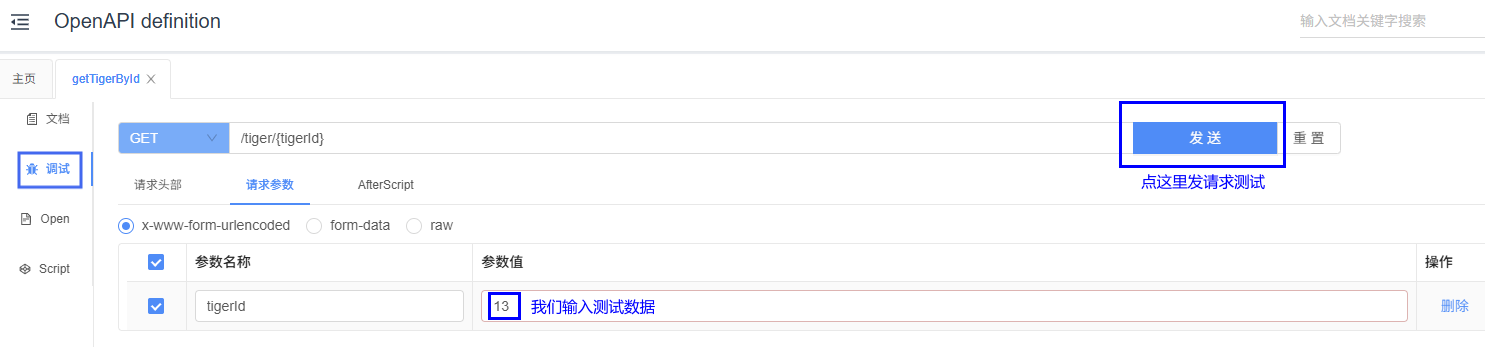
③查看效果
访问路径:
http://localhost:8080/doc.html
3、设定信息
①@Tag注解
- 使用位置:Controller类上
- 作用:描述Controller类的作用
- 示例:@Tag(name="员工管理")
②@Operation注解
- 使用位置:Controller方法上
- 作用:描述Controller方法的作用
- 示例:@Operation(summary="按照id查询员工")
③@Parameter注解
- 使用位置:Controller方法的形参上
- 作用:描述形参的名称、作用、位置、是否必须等等
- 示例:@Parameter(name="id",description="员工id",in=ParameterIn.PATH, required =true)
ParameterIn的各个枚举值:
| 枚举值 | 含义 | 示例 |
|---|---|---|
DEFAULT("") | 无显式位置(通常作为默认值,实际使用时需明确指定其他位置) | |
HEADER("header") | 参数位于 HTTP 请求头中,如 Authorization、Content-Type | headers: { "X-Token": "123" } |
QUERY("query") | 参数作为 URL 查询字符串,拼在问号后 | /users?page=1&size=10 |
PATH("path") | 参数是 URL 路径的一部分,需在路径中用 {} 占位 | /users/{id} 中的 id |
COOKIE("cookie") | 参数通过 HTTP Cookie 传递 | Cookie: session_id=abc123 |
④@Parameters注解
- 使用位置:Controller方法上
- 作用:逐一介绍Controller方法的各个参数
- 示例:
@Parameters(
    @Parameter(
        name="id",
        description="员工id",
        in=ParameterIn.PATH,
        required =true),
)
⑤@Schema注解
- 使用位置:实体类或实体类的属性上
- 作用:描述实体类或属性的作用
- 示例:
- 描述实体类:@Schema(description="员工修改提交的信息")
- 描述实体类属性:@Schema(description="员工id")
@Schema(description = "老虎实体类")
public class Tiger {

    @Schema(description = "老虎Id")
    private Integer tigerId;
    @Schema(description = "老虎姓名")
    private String tigerName;
    @Schema(description = "老虎年龄")
    private Integer tigerAge;
    @Schema(description = "老虎工资")
    private Double tigerSalary;
⑥@RequestBody注解
重要提醒:这个注解的用处并不大,关键是我们注意不要导错包,它和 SpringMVC 的 @RequestBody 注解同名
- 使用位置:Controller方法或参数上
- 作用:描述请求体JSON所对应实体类
- 示例:
@Operation(summary = "保存Tiger")
@io.swagger.v3.oas.annotations.parameters.RequestBody(description = "单个老虎数据", required = true)
@PostMapping("/tiger")
public Result<Void> doSave(@RequestBody Tiger tiger) {
    try {
        tigerService.saveTiger(tiger);
        return Result.ok();
    } catch (Exception e) {
        return Result.failed(500, e.getMessage());
    }
}
4、补充
knife4j的底层是swagger
- 访问项目http://ip:port(localhost:8080)/contextPath/doc.html查看文档是查看knife4j的ui界面
- 访问项目http://ip:port(localhost:8080/contextPath/swagger-ui/index.html查看文档是查看swagger的ui界面